Lingofable vs Readlang: Which Reading App Fits You?
Readlang is a lovely DIY reader for texts you bring; Lingofable writes stories at your level. Which one keeps you reading daily, pricing included.
By Simon Ilincev, founder of Lingofable · Last updated September 18, 2026
I’ll admit upfront that this was the comparison I least wanted to write, because Readlang is the sort of software I root for. Steve Ridout built it solo in 2013, sold it to Duolingo, bought it back in 2023, and has been quietly improving it since. It’s cheap, focused, and mercifully free of dark patterns. I’m the developer of Lingofable, i.e. the competition, so weigh what follows accordingly; but if this were a contest of which developer deserves your goodwill, I’d be happy to call it a tie and go home.
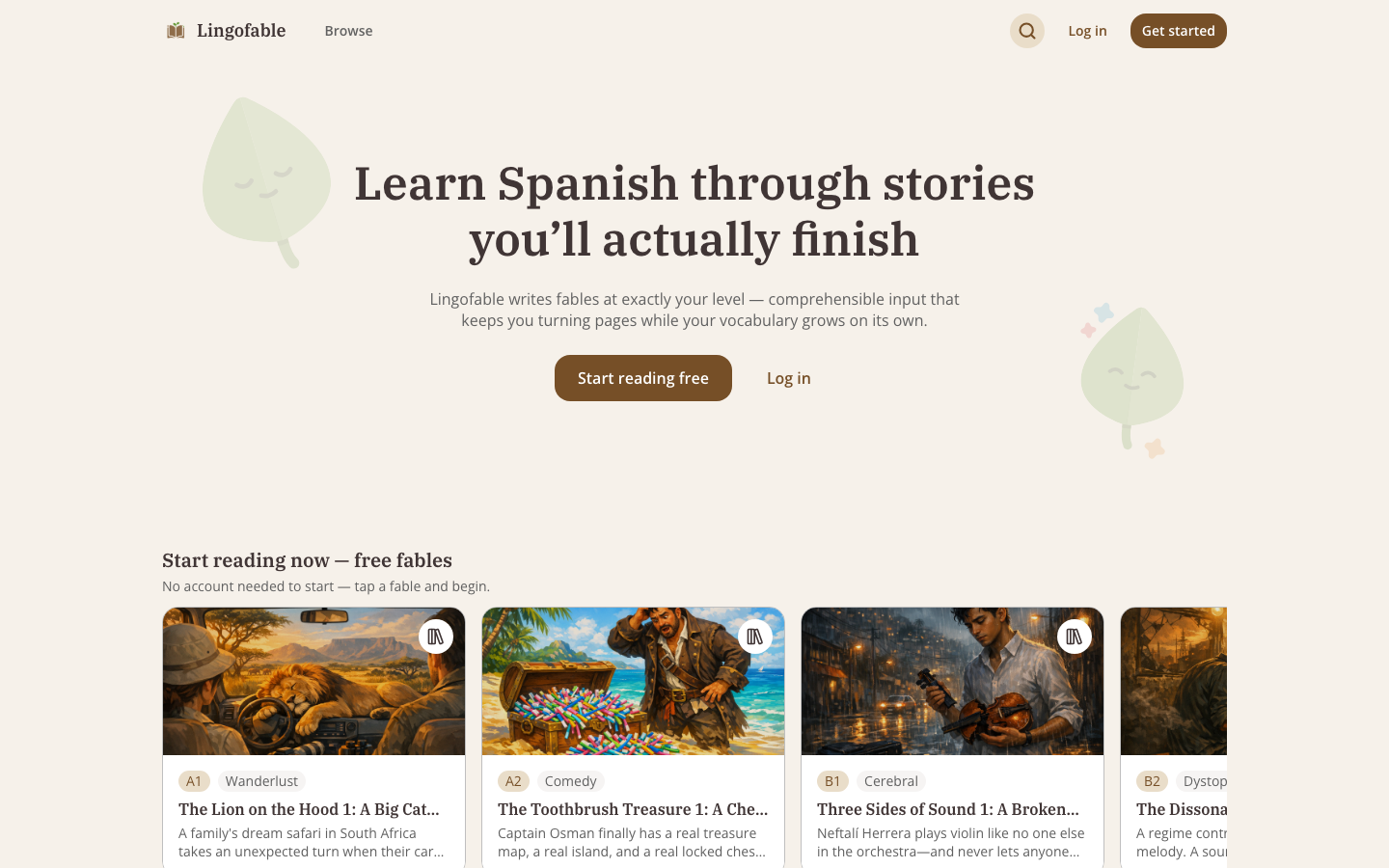
The goodwill contest is a nice thought experiment, though; what you’re actually choosing is the app that determines whether you read Spanish tomorrow, and here the two products make opposite bets. Readlang is a reader for text you bring. Lingofable brings the text: a leveled, tagged story library with narration, in a proper app. Pretty much every difference below follows from that one split.
In short
If you already have things you want to read — news, novels, blogs — in any of Readlang’s 119 languages, get Readlang; it’s a few dollars a month and does its job well. If you’re learning Spanish and the daily hunt for something readable is what keeps killing the habit, that hunt is precisely what Lingofable exists to get rid of.
Side by side
| Lingofable | Readlang | |
|---|---|---|
| Languages | Spanish only | 119 (depth varies a lot) |
| Content | 4,200+ stories written at your level | You upload it, or a user-shared library |
| Difficulty | Written to a target CEFR level and analyzed linguistically | Estimated per text (A1–C2 tags) |
| Audio | Narration on every story (previews free, full on Pro) | TTS; best voices need the $15/mo tier |
| Mobile | Native iOS app + web app | Web app only ("add to home screen"); no offline |
| Spaced review | Vocab manager; Anki-ready export with example sentences | Yes: flashcards with SRS, Anki export |
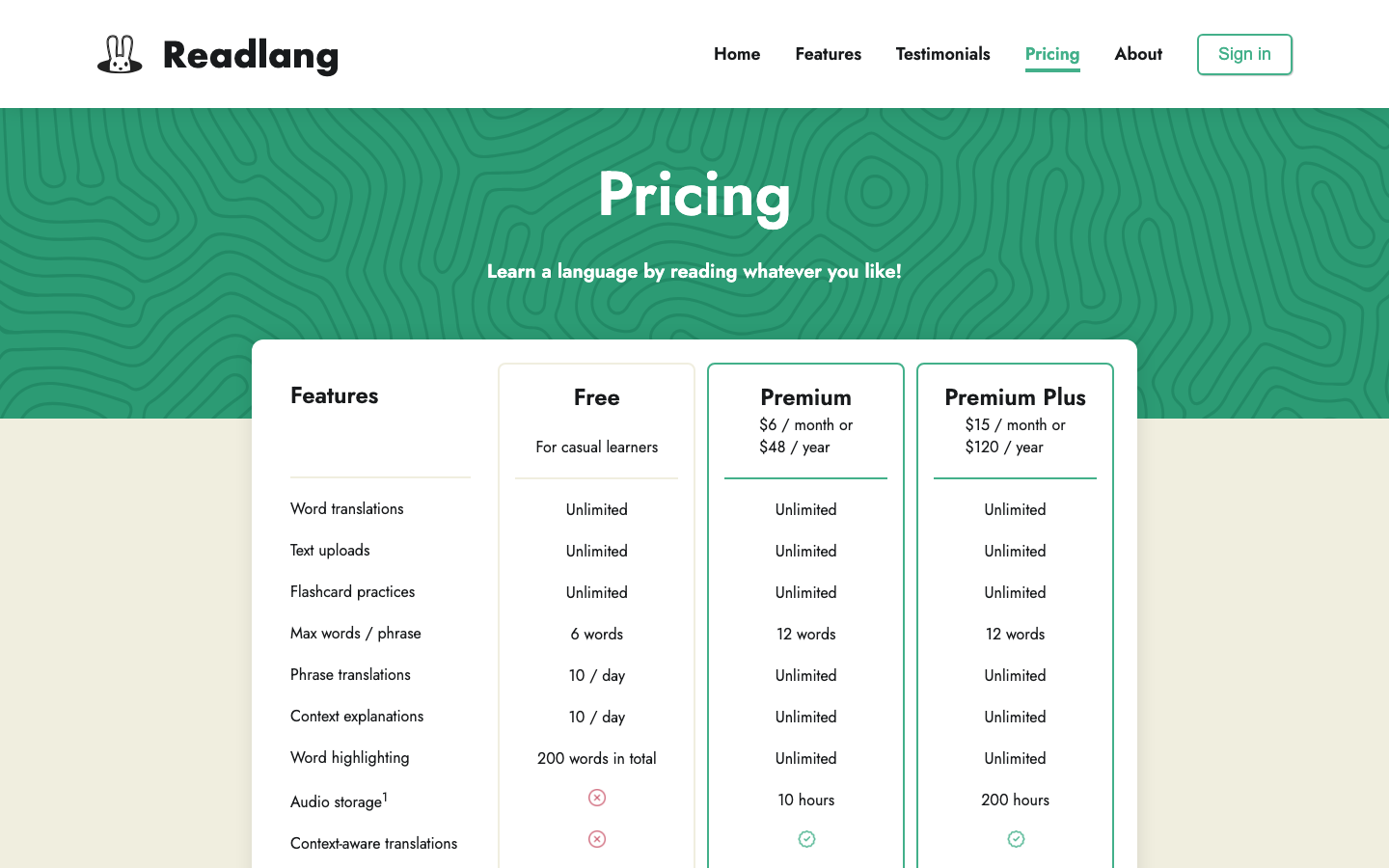
| Price | Free fables; $6.99/mo or $44.99/yr | Generous free tier; $6/mo or $48/yr; $15/mo Premium Plus |
Prices and features checked September 18, 2026.
The finding problem
Readlang’s loop works beautifully once suitable material is in hand: paste an article, click the words you don’t know, review them later as flashcards. The friction sits one step earlier, in finding that article, and I have quite a lot of scar tissue here. During my intermediate Chinese phase I’d regularly spend longer hunting for something readable than actually reading it; graded readers were dull, native books were painful, and every session began with a search. The extensive reading literature generally recommends staying at 95%+ comprehension, and suffice to say, very little of what you stumble across in the wild happens to sit in that band. Below roughly B2, content in that band mostly doesn’t exist publicly at all. Providing exactly that graded middle ground is a big part of what Lingofable is for.
Readlang’s shared library tries to bridge the gap, but its texts are user-uploaded with estimated difficulty tags and no real quality control. An estimate of a text’s difficulty also says nothing about whether the particular words in it are ones you know. Lingofable flips the flow around: it tracks your known vocabulary as you read and tap, then serves stories inside your comprehension band. There’s no evaluating content; you just open the next fable.
Audio and phones — the unglamorous deciders
Beyond the content split itself, two practical details end up deciding this comparison for most people. First, audio. Listening while reading is one of the best-supported techniques in the acquisition research (I’ve written before about how much it did for my reading speed, and Reddit’s language-learning corners agree), and on Readlang, full-text read-aloud with decent voices sits in the $15/month Premium Plus tier, three times the base subscription. Every Lingofable story is narrated (audio previews on the free tier, unlimited listening on Pro).
Second, phones. Readlang’s official answer to “is there an app?” is to add the web page to your home screen, and the “Readlang” apps you’ll actually find on the App Store are unaffiliated third-party clients, which regularly confuses people. That’s all fine at a desk, but most of my reading happens on a phone (trains, queues, bed, in class if I’m naughty), and I’d wager yours does too. Lingofable is a native iOS app first, offline downloads and all, with a web reader at app.lingofable.com for desk time.
In Readlang’s column, to be clear: its Spanish support is among its strongest (both Spain and Mexico voices since the May 2026 update), and there’s a browser extension we don’t have. Flashcard people are covered either way, as both apps export to Anki; ours includes the example sentences. But if you want to read El País with a dictionary bolted on, Readlang does that today and we simply don’t.
So which one?
For the reader this series is actually written for (learning Spanish, phone-first, reading in stolen minutes), I’d start with Lingofable: the finding problem disappears, and the audio comes with. Readlang remains the right call if you know exactly what you want to read and just need the tooling, if your language isn’t Spanish, or if you live in Anki.
And the caveat against us, plainly: Lingofable is young. Readlang has thirteen years of polish and a developer with a long public track record; we have a Spanish-only library, an iOS app, and a lot of shipping ahead of us. Should you try us and find something annoying, please do say so. Write to team@lingofable.com and it lands directly with the two of us who build it; I answer everything myself.
Frequently asked questions
What is the main difference between Readlang and Lingofable?
Readlang assists your reading of content you bring or find; Lingofable supplies original Spanish stories written at your measured CEFR level, narration included. They overlap on tap-to-translate reading, but one solves a tooling problem and the other a content problem — ask yourself which of the two actually stops you from reading daily.
Which costs more, Readlang or Lingofable?
Nearly identical on paper: Readlang Premium is $6/month or $48/year, Lingofable Pro $6.99/month or $44.99/year. The real cost difference is audio — on Readlang, good full-text voices need the $15/month tier, while narration comes included with every Lingofable story.
Does Readlang have a mobile app?
No official one — Readlang recommends pinning the web app to your home screen, and the "Readlang" apps on the stores are unaffiliated third parties. Lingofable has a native iOS app plus a web reader.
Is audio extra on either app?
On Readlang, yes: full-text read-aloud with high-quality voices requires Premium Plus at $15/month. On Lingofable, every story is narrated (previews on the free tier, unlimited on Pro), and listening while reading is honestly one of the most underrated habits in language learning.
Can Lingofable import articles like Readlang does?
No. Lingofable serves its own library only. We chose this deliberately for cost economics, as we run heavy-duty lemmatization, audio, and statistical analysis on every story we serve, though it may change in the future. If importing articles or ebooks is core to your workflow today, Readlang (or LingQ) is the better fit.